

Cruise Control
Put Your Inventory on Autopilot
Spend less time making the same inventory updates over and over. Cruise Control lets you create automated rules that apply actions across your inventory based on the criteria you choose.
Automatically manage discounts, admin fees, sales promotions and vehicle photo enhancements—whether your inventory comes directly from your DMS or is uploaded manually.
Get Started
Let Cruise Control Handle the Repetitive Work

Automate Pricing Changes
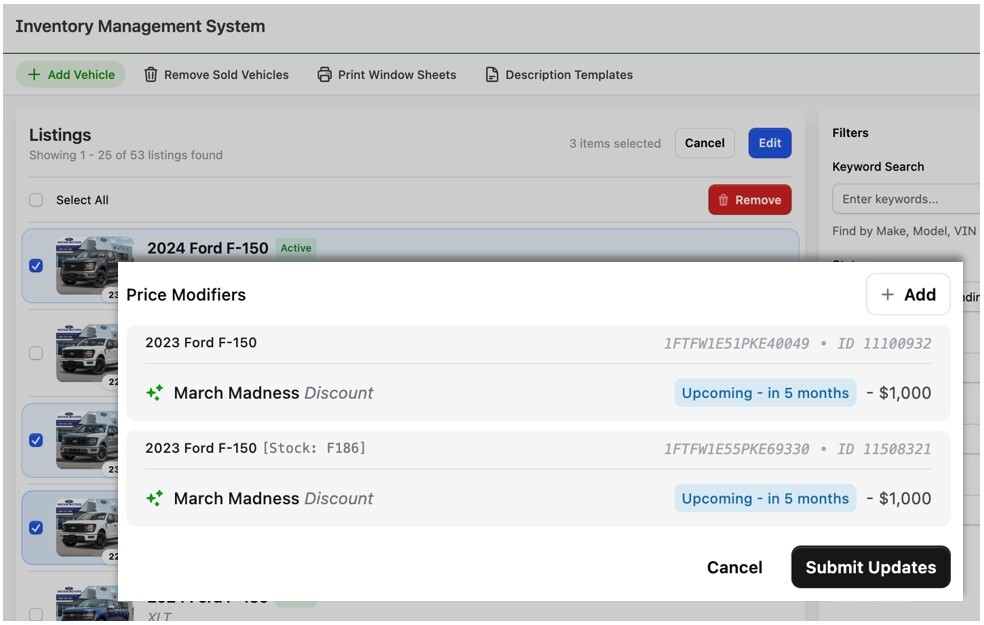
Automatically apply admin fees or discounts to vehicles that match your criteria. Create rules for specific vehicle types, models, pricing ranges or other inventory filters without updating listings one at a time.
Run Promotions Automatically
Set up sales promotions with scheduled start and end dates. Cruise Control can automatically apply promotional pricing and add promotional graphic overlays to your vehicle photos.
Enhance Vehicle Photos
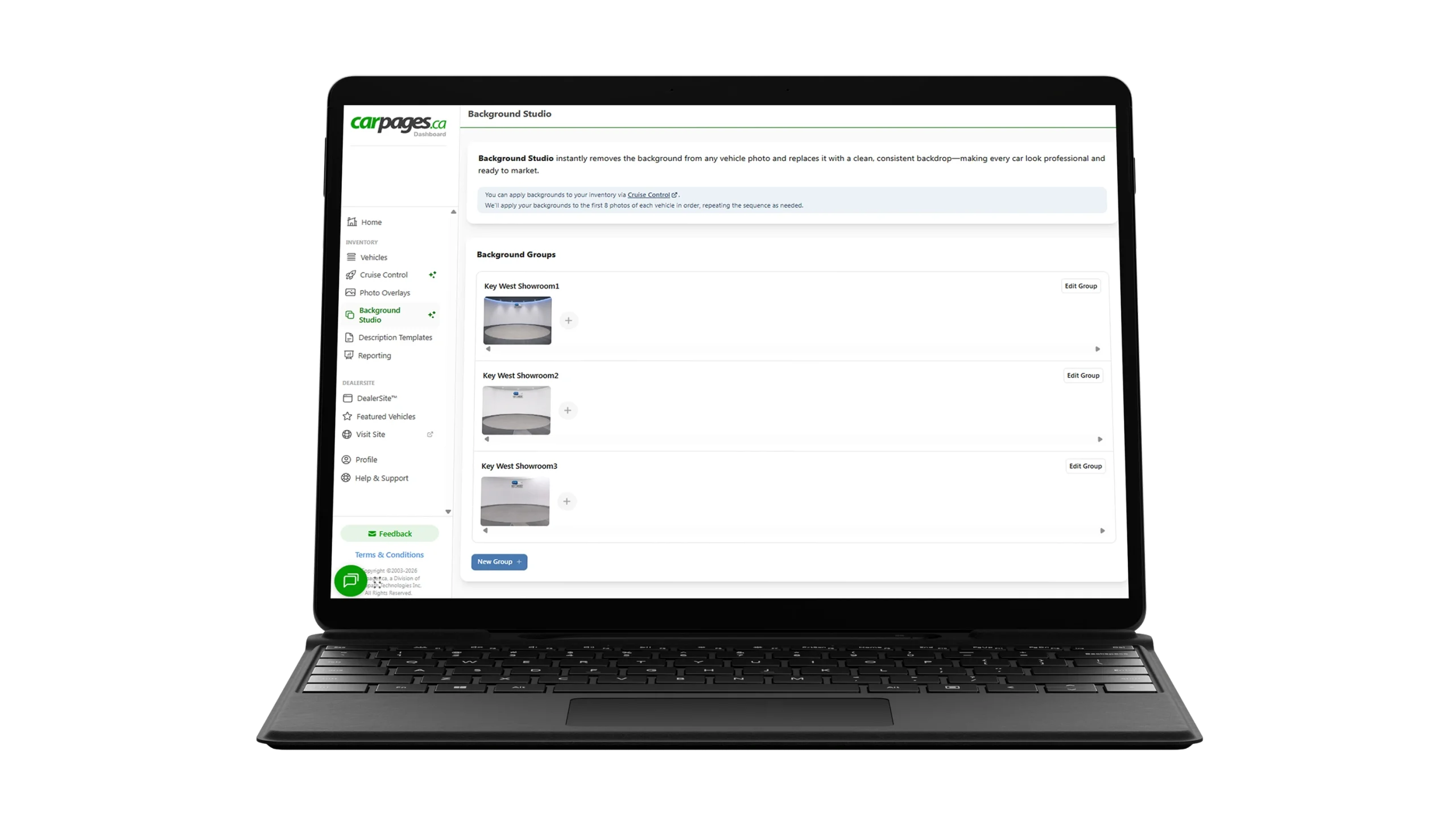
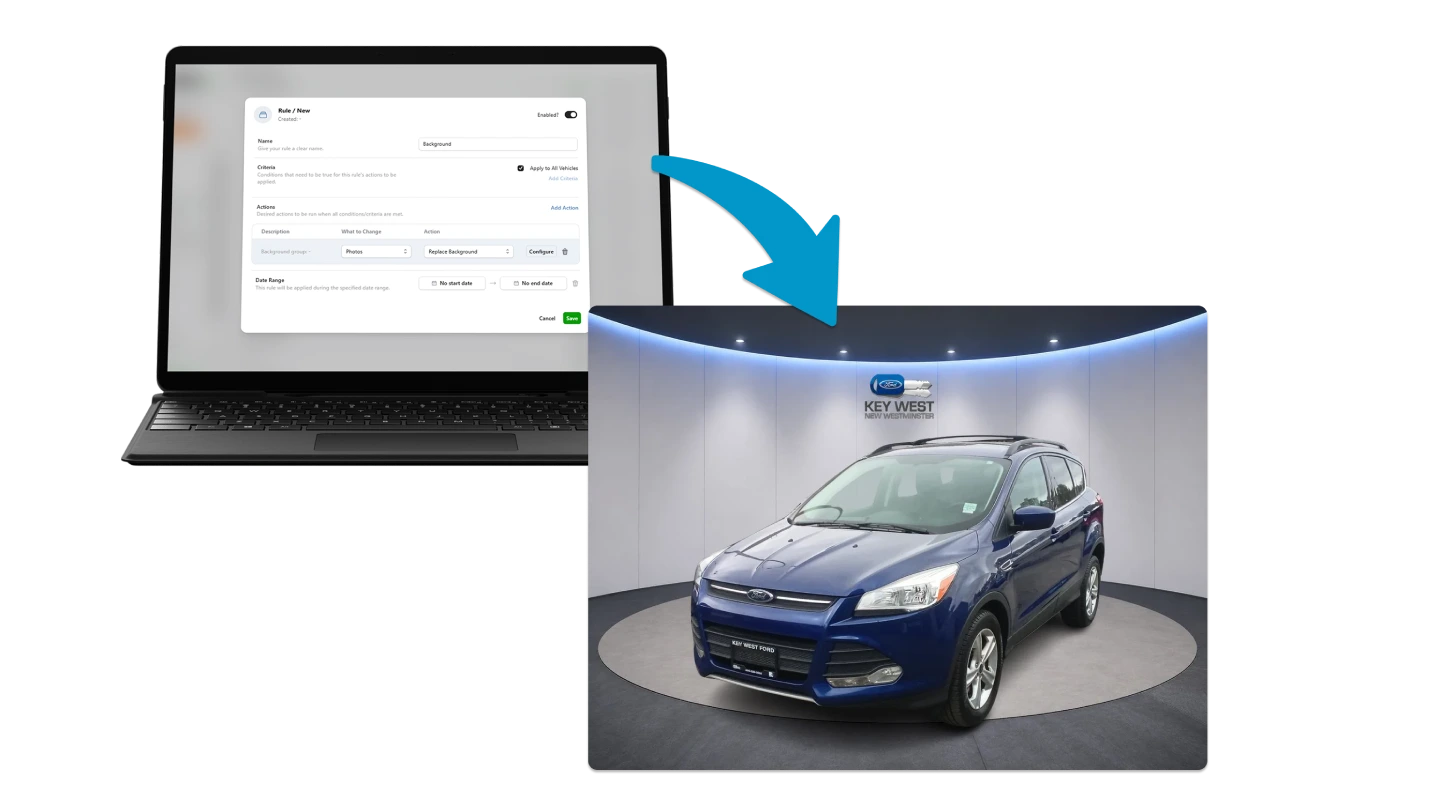
Keep your inventory looking its best with automatic photo enhancements. Pair Cruise Control with Background Studio to automatically apply your selected background treatment to your vehicle images.
How It Works
Create Your Rule
Choose the vehicles you want the rule to apply to using your preferred inventory criteria.
Choose An Action
Tell Cruise Control what to do—apply a discount, add an admin fee, run a promotion, enhance vehicle photos or apply a background.
Set Your Timing
For time-sensitive promotions, choose when your rule should start and end so your campaign runs when you need it to.
Put Your Inventory On Autopilot
Once your rule is active, Cruise Control handles the matching inventory automatically in the background, helping keep your listings accurate and consistent.